> For the complete documentation index, see [llms.txt](https://wp.gotmlabz.io/llms.txt). Markdown versions of documentation pages are available by appending `.md` to page URLs; this page is available as [Markdown](https://wp.gotmlabz.io/gz-s1/trait-management.md).
# Trait Management
If using the re-roll feature it is vital to ensure traits, max qtys, layer orders constraints and forced combinations are all set up accordingly.
## Link
If you have a traitstore with us you can simply link the two to automaticaly pull through all your existing traits. This save ths hassle of re-uploading all traits. The two sites remain synced, the traitstore remains primary.
## ADD TRAITS (BULK)
Ensure the folders you are uploading are named exactly on chain example: Backgrounds
## ADD TRAITS (SINGLE)
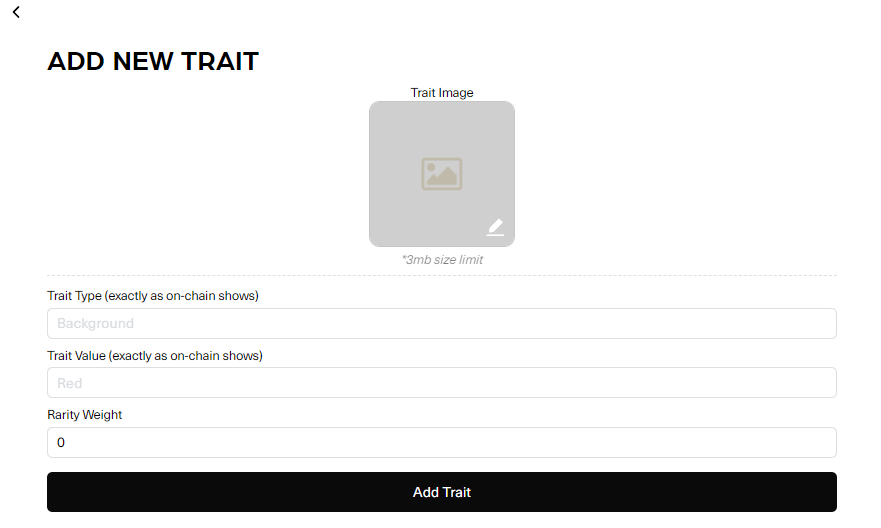
Add new traits at any time, upload image, add the trait type value and max qty
## EDIT RARITIES
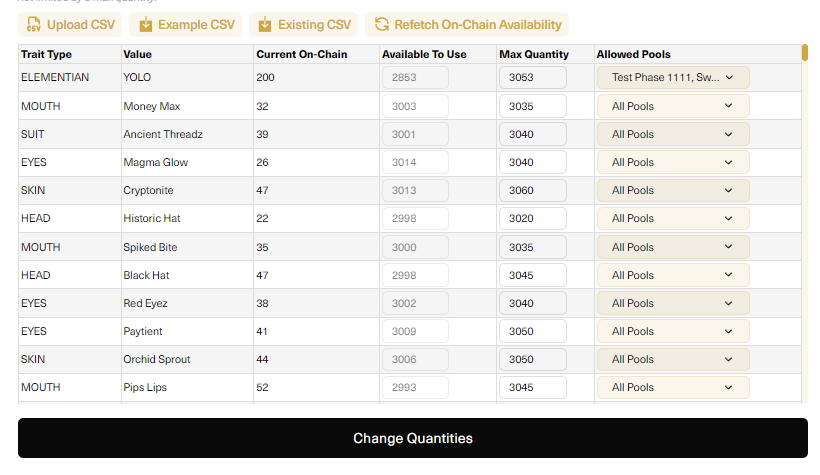
Set Max Qty available for each trait, utilize the csv file upload for larger collections. Use the refetch button to get live data from on chain. (just once ) afterwards its automatic if the transaction hapens in the pool. Choose allowed pools to gate specific traits.
## EDIT LAYER ORDERS
Set default layer order, drag up and down to suit
if your collection has multiple layer orders this can be managed also
## EDIT FORCED COMBINATIONS
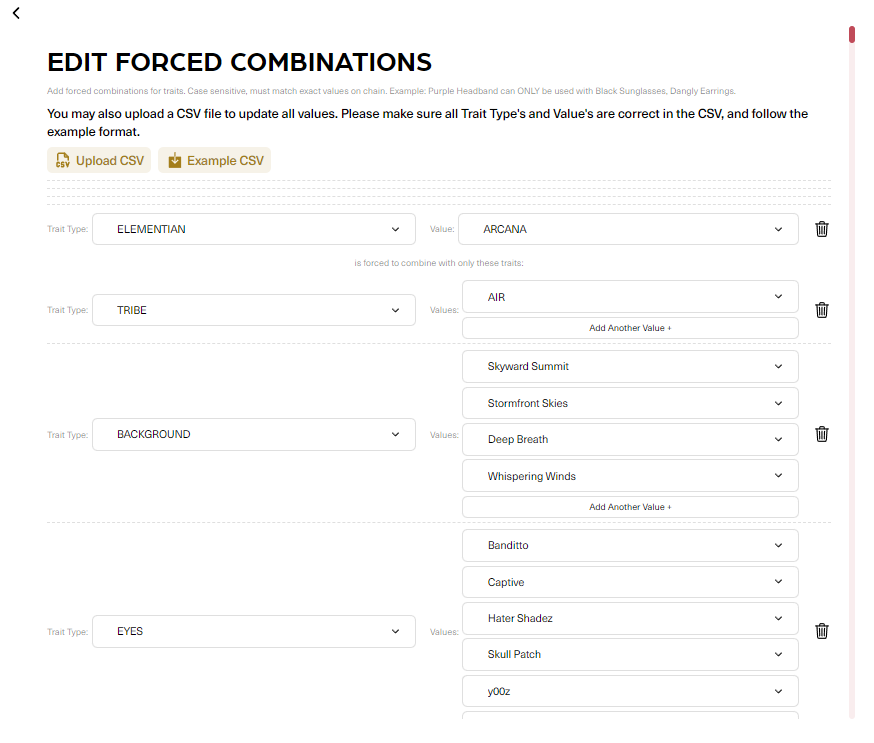
Force traits to be used where applicable, add edit at any time.\
Use the CSV upload for larger collections with a large qty of forced combinations. Download the example csv for correct format.
## INCOMPATIBLE TRAITS
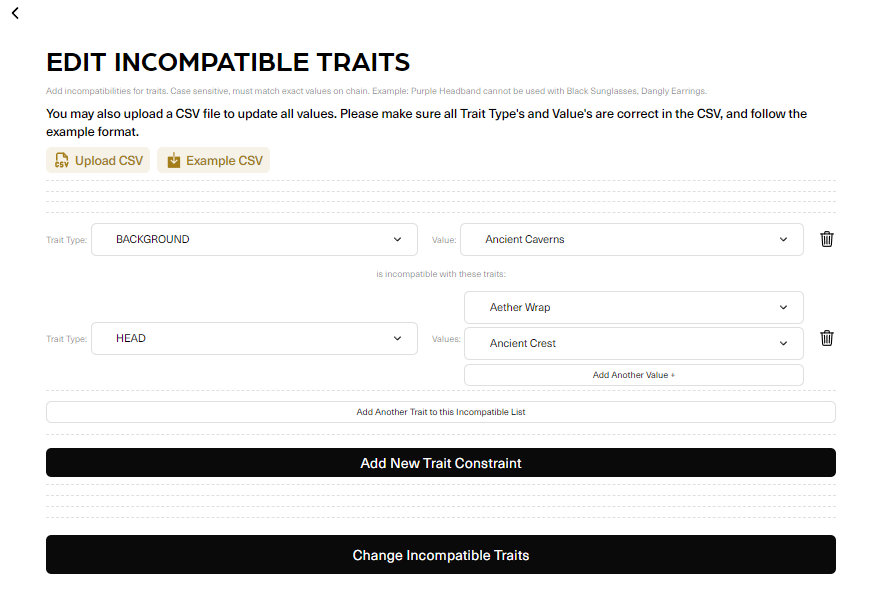
Constraints can be added manually or using the csv upload. Download the example csv for correct format.
## TEST NFT GENERATION
Test your NFT generations here to make sure they look correct and follow the rules you have in place. It's recommended to test multiple times.
---
# Agent Instructions
This documentation is published with GitBook. GitBook is the documentation platform designed so that both humans and AI agents can read, navigate, and reason over technical content effectively. Learn more at gitbook.com.
## Querying This Documentation
If you need additional information that is not directly available in this page, you can query the documentation dynamically by asking a question.
Perform an HTTP GET request on the current page URL with the `ask` query parameter, and the optional `goal` query parameter:
```
GET https://wp.gotmlabz.io/gz-s1/trait-management.md?ask=&goal=
```
`ask` is the immediate question: it should be specific, self-contained, and written in natural language.
`goal` is optional and describes the broader end goal you are ultimately trying to accomplish on behalf of the user. GitBook uses it to tailor the answer towards what is most useful for that goal.
The response will contain a direct answer to the question and relevant excerpts and sources from the documentation.
Use this mechanism when the answer is not explicitly present in the current page, you need clarification or additional context, or you want to retrieve related documentation sections.