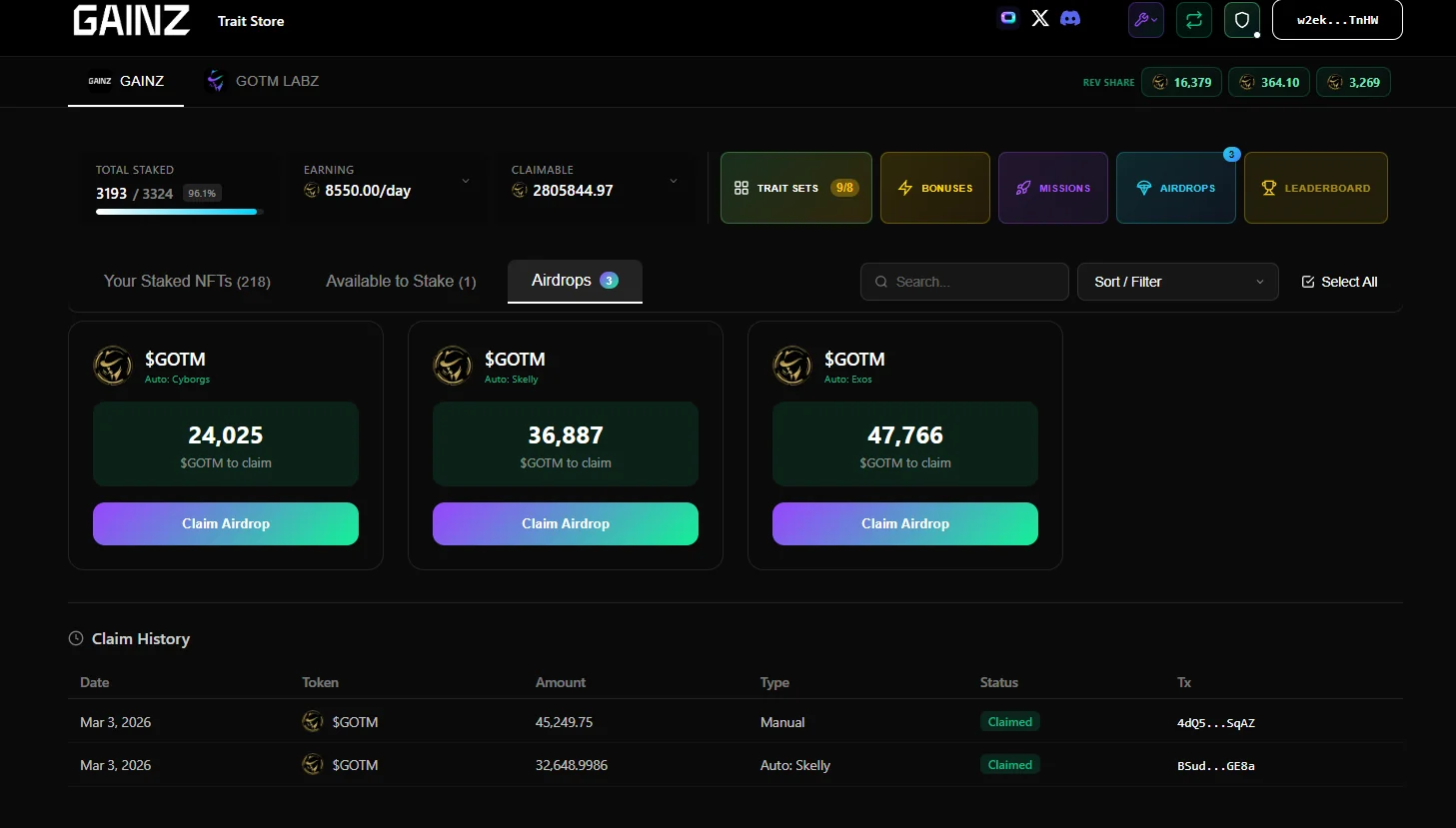


Airdrops
The most advanced cost effective airdrop system within a staking site. Perfect for collabs with other projects & rewarding your holders with instant token airdrops.
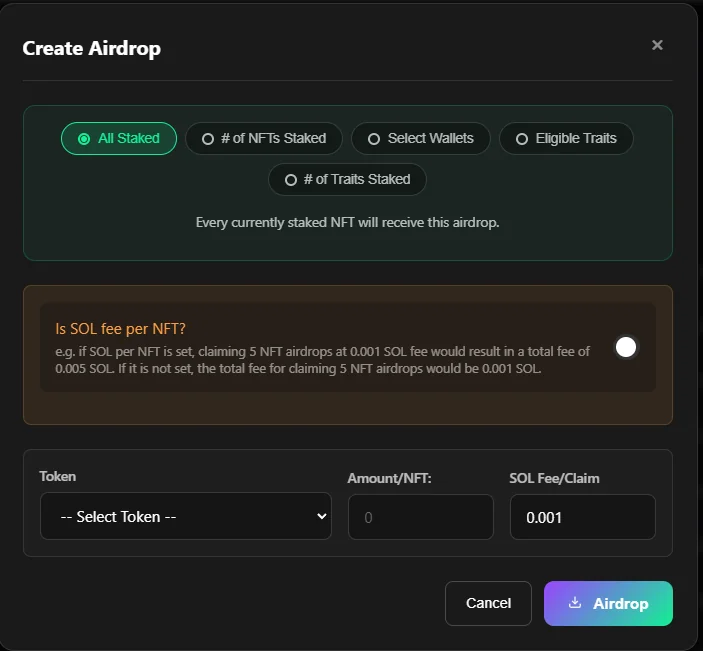
Airdrop to all staked NFTs
Enter the amount of Token to distribute to each staked NFT, select the token you want to distribute or add new and press the airdrop button.
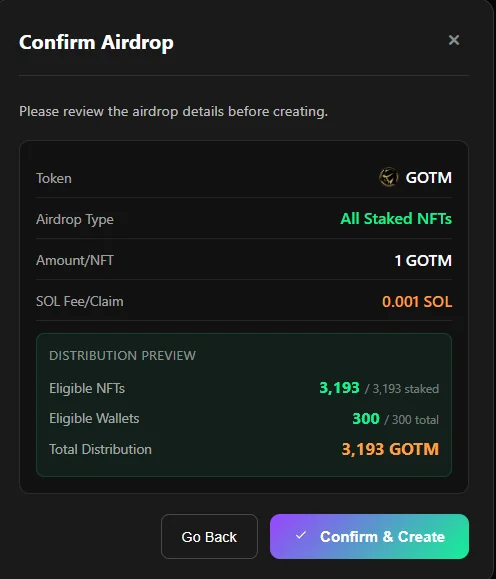
After pressing the airdrop button a popup calculation will appear - if it looks right press confirm airdrop to proceed.
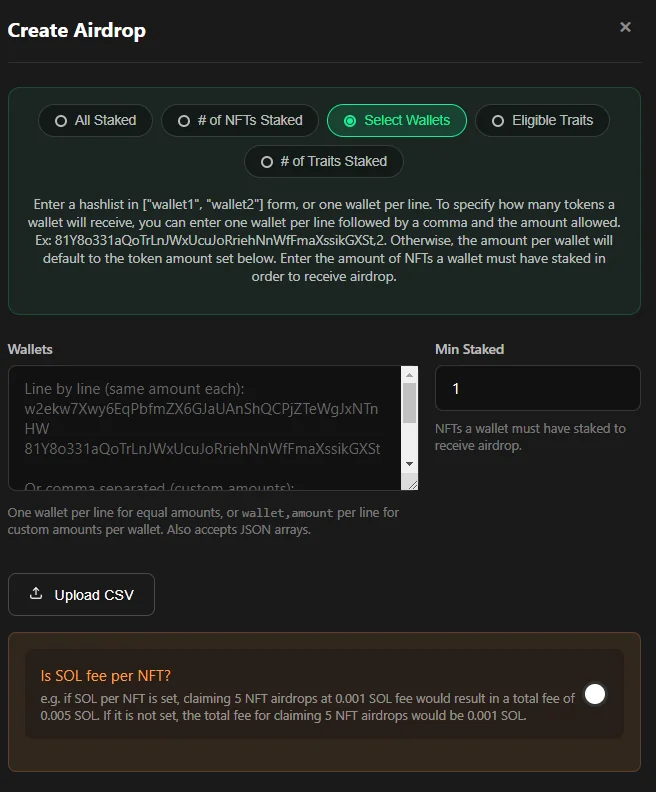
Airdrop to Select Wallets
To send the same amount to each wallet fill out the Amount/NFT box bottom left
To send different amounts to each wallet leave it blank and use a , seperated and then the amount
Alternatively upload a csv file with 2 columns wallet address and amount (no headings) rqd
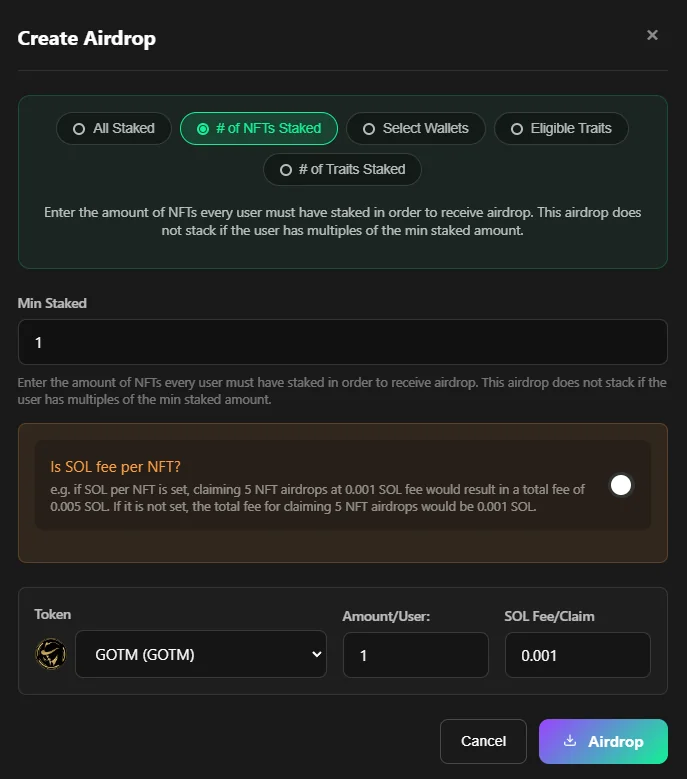
Airdrop if #No Of NFTs Staked
Ability to define the number of NFTs that must be staked and airdrop a set amount to each person
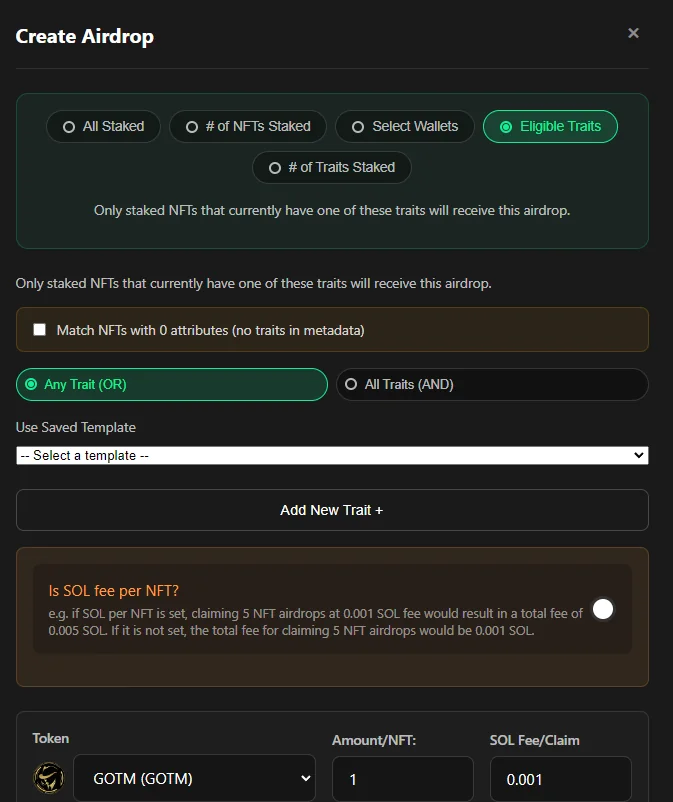
Airdrop to Specific Traits
To send the same amount to each wallet fil out the Amount bottom left
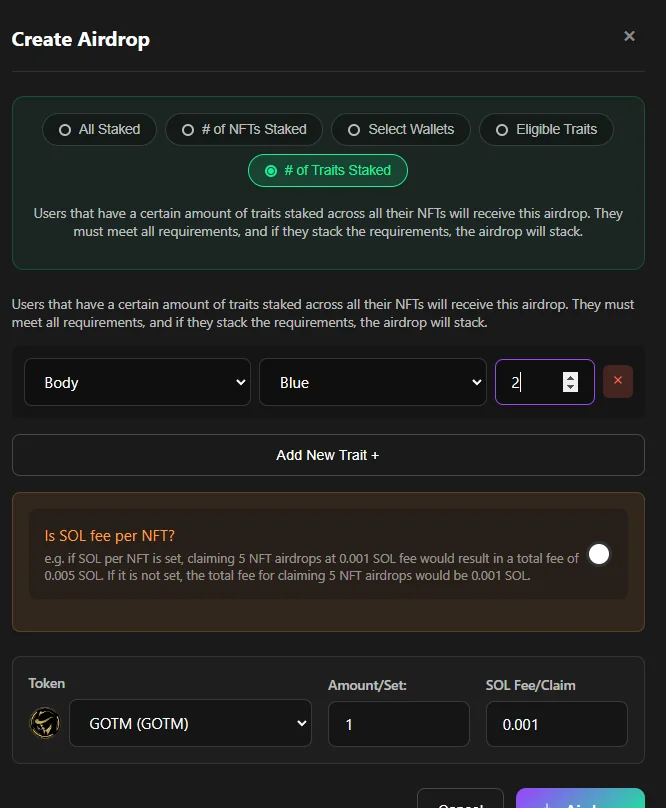
Airdrop if #No of Specific Traits
Ability to airdrop specifi amount to each user if they have a combination of traits staked from one or multiple NFTs
Solana transaction fees
You can decide how much the user will have to pay when claiming the airdrop and if its per NFT or per claim. SImply use the toggle switch to set your preference. note our standard admin fee is applied.
History
View all current airdrops in progress, view the number of NFTs claimed.
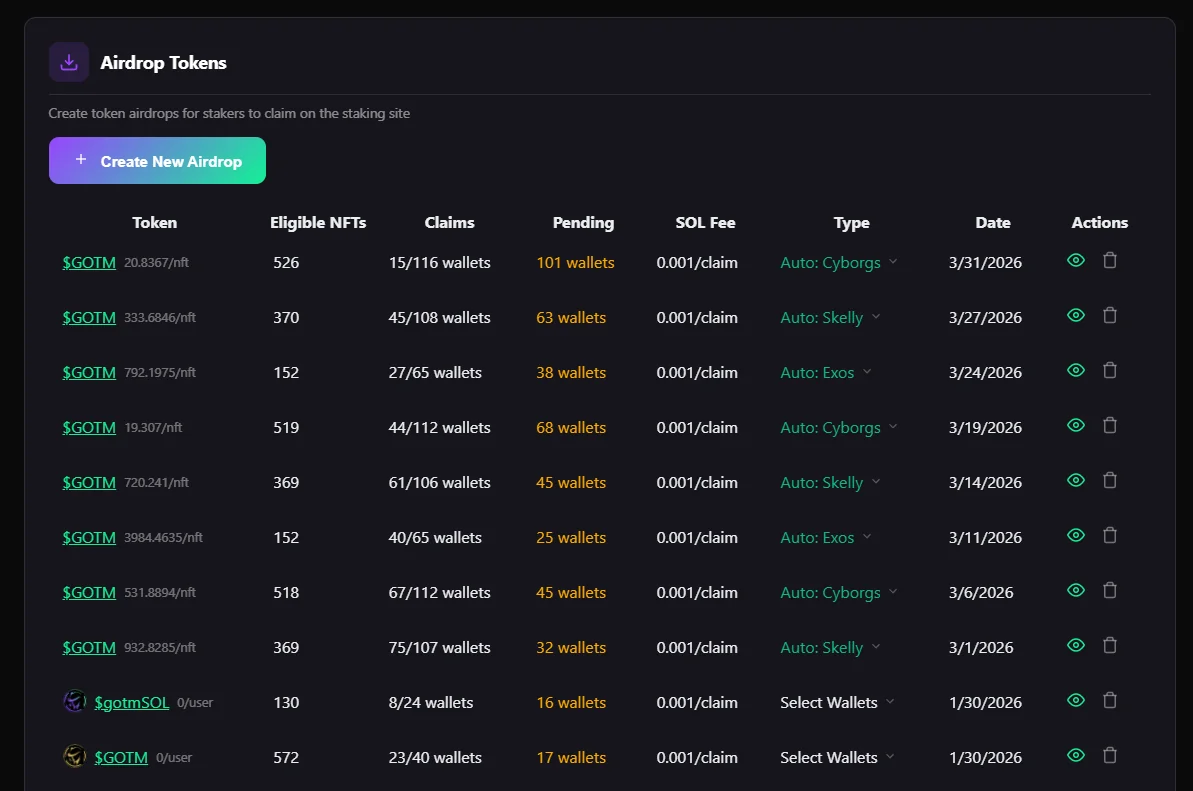
Delete Airdrop
You can decide if you would like to delete the airdrop at any time by simply clicking on the delete button and then confirming by pressing the ''little tick''.
Front End
When an airdrop is active it will display front end for user, with a claim button.
Airdrops will continue to stack up until claimed by the user or canceld by the admin.